


I would love to be able to sign all of my children up for piano lessons. Unfortunately, we live fairly rurally and cannot add in the extra time away from home that would mean (remember, there are six lovely little – and not so little – ones here). We have a newer keyboard and have pecked around here and there. I mostly remember how to read music, but I am not equipped to teach this subject.
Adventus has the answer in their MusIQ HomeSchool Curriculum. There are two options depending upon the age and ability of your child(ren). For the youngest learners (ages 4-10) Children’s Music Journey is the place to start. For older students (even grown-ups!) and those with a few years experience (ages 10+) you have the Multi-level Curriculum (includes Piano Suite Premier, Ear Training Coach and MusIQ Challenger Game). The other deciding factor would be Mac or PC. Currently, only the early learning level is available for those of us using Macs.
Utilizing both programs, there are 7 complete years of music instruction. Notice that is music not piano. One of the beautiful things about MusIQ is that it teaches so much more than simply piano. Music theory, history and appreciation are taught as well. We had just finished a composer study of Beethoven when we began this program and he is one of the instructors. My children loved that instant connection. I love how this integrates with our other areas of study.

Nearly all of my children fall in the range of Children’s Music Journey. We have only had a light introduction to piano and reading music; I would not call any of them experienced. We began in the beginning of the first level. The software was downloaded, they cables connected (you will need to connect your MIDI-capable keyboard to the computer to use the software) so we were ready to begin.
Somewhere along the way, I had thought my children would like the opportunity to work on something independently. So much of our school work is done with us all together, family style. Once the other children saw what looked like a fun computer game and the piano keyboard waiting, they weren’t as interested in going off to play.
The first few lessons we did end up doing all together. Not only is there interactive teaching via the software, but there are some great activity pages to print out as well. These first lessons were a fun, gentle introduction to music. Even the 3 year old was an active participant.
After completing a lesson, it’s time to play! The Practice Room, Games and Improv Room are the favorite parts here. You can get a good feel for the Children’s Music Journey through this video.
Things did become more challenging and now they are working separately. I do still have the 5 & 7 year old together for most of their lesson time. The five year old (girl) is being challenged (in a good way) and the seven year old (boy) has moments he just wants to play. Working together is good for both of them. There are so many other neat areas to play in (truly play at music as well as games to reinforce what is being learned) that they do get some time of their own, too.
My middle girls, 8 1/2 and 10, also work together for the main part of the lesson. Thus far they are keeping pace with each other. If one starts moving ahead in their abilities, then I will have them working independently. The program is so intuitive and easy to navigate that the children are working independent of me most of the time.
My 12 year old daughter feels a bit left out. She sees the program as being too juvenile for her (remember she is at the “very mature” age of 12 and the program does state it is for 4-10 year olds). She has hung around when younger two are working and I do let her have a scheduled day for practice like the others. If we had the option to use the Piano Suite Premier, I’m sure she would appreciate it.
The activity sheets are found in both the lesson plans and on a MusIQ resource site. I make sure to print all of these ahead of time. We only have one computer, so to even suggest quitting the program so Mama can print something is out of the question. That is the only real preparation on my part. And have a timer handy. That timer is not to say, “Just 10 more minutes.” Rather it rings loudly “Your time is up!” “You need to stop now!”
Working on music is the last thing of the “school” day when everything goes well. With five budding musicians it works well to let each have their own day for independent practice (I am still around when they need me, just not their “lesson partner”). My only complaints are that I have to print activity pages from two different sources and no access to the upper levels for Mac computers (without additional software purchase of BootCamp etc.) This sure beats dragging everyone off to lessons half an hour away!
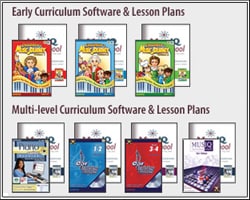
The price is much better than what we’d pay an instructor as well. There are several options, be sure to see what fits your needs the best. We have a monthly subscription which is $10.95 a month. There are various bundles of physical CDs (learning software and lesson plans) with or without a keyboard for both the Children’s Music Journey and the Multi-level Curriculum. These prices range from $89.95 (Year 1 of CMJ, no keyboard) to $489.95 (all levels CMJ, Multi-level Piano Suite Premier, Ear Training, Lesson Plans and the keyboard) With the suggested schedule the complete package is 7 years of instruction — for all of your children (up to 10 users). This is hands down a phenomenal value in quality music instruction.
We all have read of the great benefits to music education. The process of learning to read and play music builds the brain’s capacity overall, not just in areas directly related to music. What I recently read (dentist office waiting room?) is that the increase in capacity stays even when the music lessons are over. Cool! Everyone should learn to read music and play an instrument, right?
Other Schoolhouse Review Crew families used MusIQ HomeSchool (Children’s Music Journey and/or Piano Suite Premier). Be sure to check out their reviews or sign up for a free 7 day trial (that automatically converts to the monthly subscription) and try it yourself.