When I was growing up and in my teenage years, it was commonly heard “. . .get your teenager to program your VCR.” Yes, I am that old. Things have certainly changed since then – VCRs have been replaced with DVDs or streaming videos (although our family does still have – and use – a VCR). What hasn’t changed though is that the upcoming generation is much more tech savvy. Some kids pick this up naturally, others are interested but need a good source to learn from and still others have little desire, but know it is necessary.
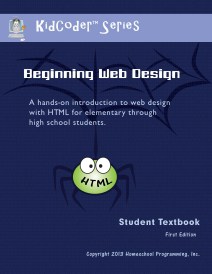
For children and teens wanting and needing to learn, there are businesses like Homeschool Programming. They have created easy to use courses for kids and teens to learn programming for games, various programs and even apps. They teach with current languages and make it fun. Even better? Mama doesn’t have to know diddly squat! We have been working through the brand-new KidCoder Web Series.
KidCoder Web Series is just being released. The first semester, Beginning Web Design is currently available. The second semester, Advanced Web Design, is coming later this fall. The course is available with or without video. Because it so new, the videos were not available as we began (but they’ve just been released – yay!). The videos are not required, but if your children are like some of mine, they need to see things visually.
There are 12 lessons going through step-by-step the process of building their web page from scratch. There is no expectation of previous programming knowledge – perfect for my 10 year old beginner. The text is fairly self-explanatory. My daughter is at the young end of the suggested age, so she needed some hand holding from me. Especially as things became a bit more involved. Targeted at 4th-12th graders, it is perfectly acceptable for older students (high school) with no experience and not just for younger learners.
The course includes a digital interface (Student Menu with your various options for completing the lessons and activities). We found the Activity Documents a bit difficult to scroll through within the interface (or it could have been our mouse) so I opened the pdf files directly in Adobe. The actual student book is also pdf that we printed as we went. This proved to be easier than switching between screens as well. A bound, printed version of this would be great!
Within each chapter are four lessons and a “Your Turn Activity” – applying what has just been learned. This works well to spread your time over a five day week. Especially in the beginning, your child may be like mine and want to move a bit more quickly. Actually, she would complete a few lessons at a time, but not spend 5 days working at it. We still worked at a pace of about a chapter a week. It is pretty flexible to allot the time in a way that works well for your family. With 12 chapters of lessons and the 13th being the final project, this works out to a complete semester.
One of my favorite things is that the solutions are included for you. They are separate from the student files, so no cheating. The exact code, etc. that the student is writing is there, so you can compare each bit to see where a problem might lie. I have also been learning alongside my daughter. I have tweaked code here on my blog, but not written anything from scratch. It is fun!
Unfortunately, this daughter does not quite share my enthusiasm. She is interested in secret codes and has a current fascination with spies. I thought this would lead to at least a little interest in html code. She doesn’t hate it or anything, but it is definitely not something she chooses to spend her time on. My 7 year old son however was very interested and hung around for most of our lessons. He’ll get his chance in a few years, but this is definitely for the middle schooler set.
If your family is a Mac family like mine, you may have found a difficult time in finding much for computer programming curricula. I was thrilled to see that KidCoder Web Series works with Mac as well as Windows. This first semester doesn’t require any additional software. It utilizes the TextEdit and Preview or iPhoto that are part of our system. The second semester will use a free editor to download. I love that nothing extra is needed!
The KidCoder Web Series is available to purchase in various arrangements. You can buy the first semester, Beginning Web Design now – $70 (course only), $85 (course + video) or $20 (video only). The second semester, Advanced Web Design, will be available later this fall (projected for October 2013). It follows the same pricing of $70 for the course along, $85 with video added. You save by purchasing both semesters together in a Year Pack. The course is $120, course & video is $145, and video alone is $30. If you want the discounted price for the whole year course, purchase your first semester items now and receive the second course at the discounted price when it is available.