Do your children dread practicing math facts like mine used to do? Flash cards and repetitious writing just wasn’t working (and was very boring besides). That all changed when we were introduced to Math Rider. Math Rider is customizable practice for all the basic math facts disguised as a game.
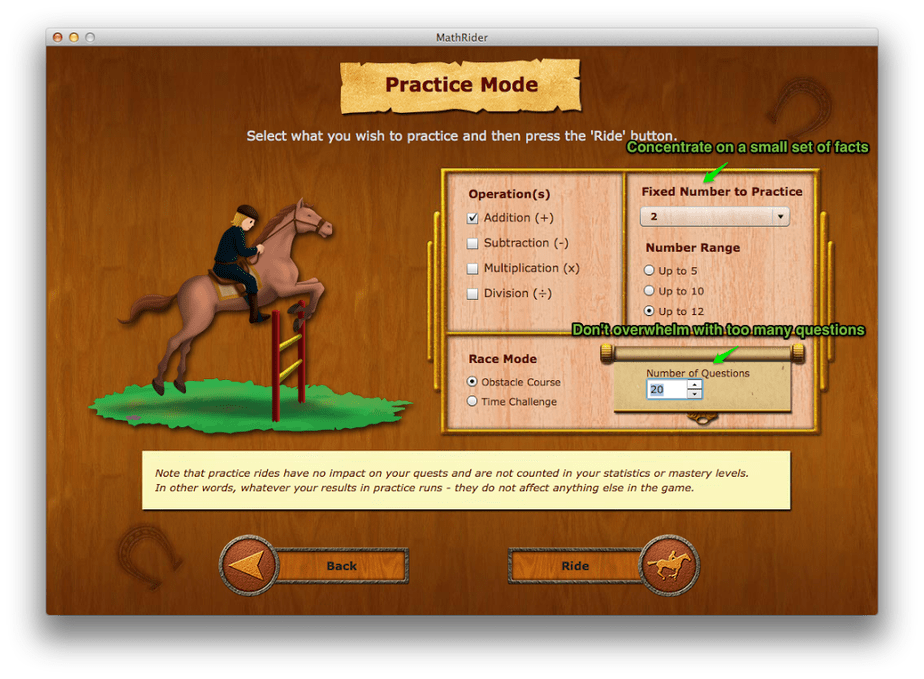
There are two ways to practice in Math Rider. One way is called a practice run. My youngest user (1st grade son) has been spending most of his time in this area. I can set up which set of facts he is working on and how many problems he has to complete. This way, he is not struggling with figuring out 5+6 when we are still working on adding 2 or 3 to a number.

The second and main part of the program is to begin a quest. There is a fantasy story setting up what the quest is (if you object to this sort of story you can easily skip through this part). The way to work to your end destination is by completing math problems. When your answer is correct, your trusty steed, Shadow jumps the obstacle. Throughout the quest, your progress is tracked on a map. The background changes to reflect what part of the realm you are currently in. The number of rides to complete a quest depends upon your success and speed. You are not limited to a certain number of rides or time or you fail. You “win” when you finish. This is a great confidence booster!
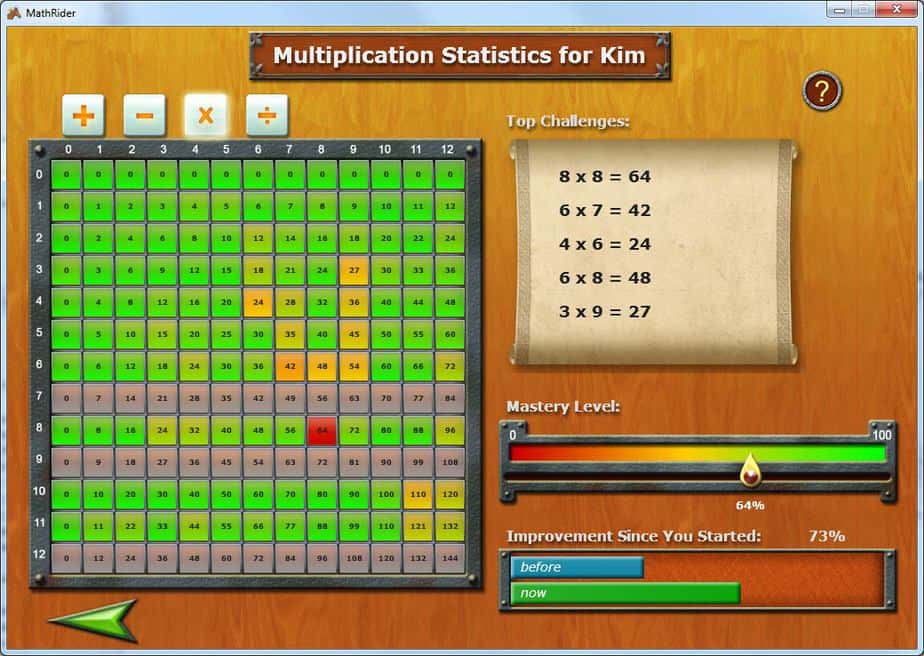
The behind the scenes math progress is also tracked in
Math Rider. When you begin the quest, you select a level to be working at as well as the operation. Your improvement is shown specifically in a chart, letting you know which specific facts are mastered, which are in progress and which are not mastered at all. The scroll highlights the top challenges — the ones needing the most work. You can also track your mastery level for the operation and improvement since beginning.
There are four levels (in addition to one of the four operations) to choose from when beginning a quest: beginning (facts 0-5), medium (0-10), advanced (0-12) and mastery. The idea is to start in the beginning and work your way up. When you successfully complete a quest, you receive an award. This is displayed at your “home”. When you achieve complete mastery, the reward is even more spectacular.
The recommended age for Math Rider is 6-12. I have set up my 7, 8, 10, and 12 year old children as users. I’ve even set myself up. It is fun for anyone with math skills. I’ve explained how my son is just beginning learning addition facts. My older girls are at various stages in other operations. We have all appreciated how the game adjusts the speed based upon your answers. When I first started a quest in division, I needed to go v e r y s l o w. I loved that the game slowed right down for me. (Can we say rusty?) No more frustration at not being fast enough, so your child gives up.
The software is a download compatible with both Windows and Mac. I had initially tried this on our older Mac (OS 10.5.8) with no difficulties (needed to manually install AdobeAir). Be sure to check out all the requirements or sign up for the free 7 day trial. A single license for home/family use allows up to 8 users and is $47. That is a lifetime license. Any updates and improvements made, you will have access to. This is not only a tremendous value for math fact software, but is the best math software or game we have found at any price.
Thank you Math Rider!