Originally, I thought of my math-loving daughter to use this for our review. She was un-interested, so I went to her sister. To be sure we understood how the set up worked moving through the lessons and units, we sat together the first week or so. (Un)surprisingly, the math-loving sister and the younger brother often joined us. The video presentation of the lesson is short and engaging. Alesia, the instructor, teaches in a way that the learner is not overwhelmed; the information is just enough.
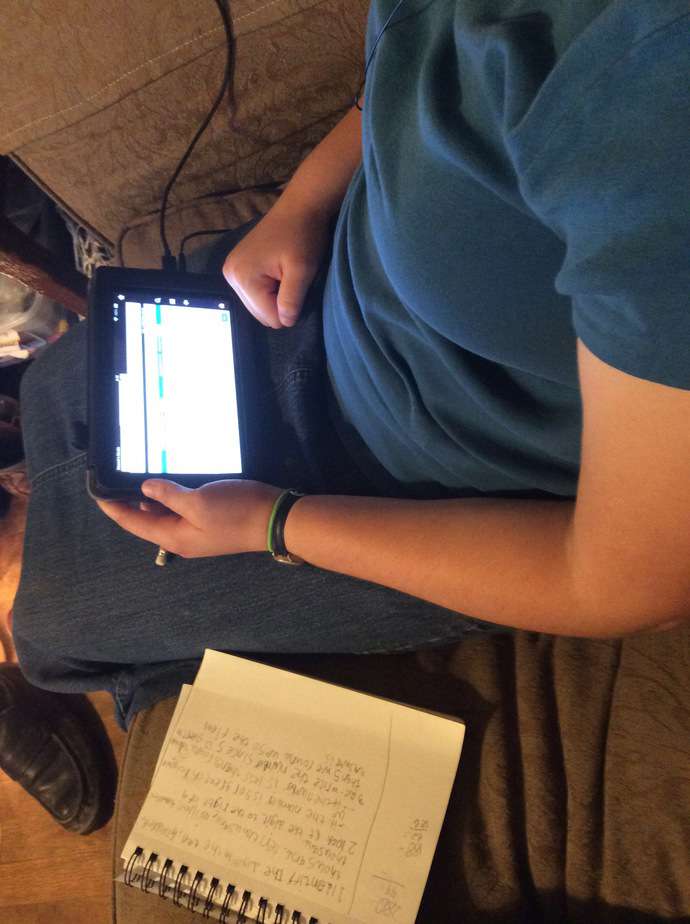
Turning my girl loose, she often worked on her Kindle to do her math. The layout of the individual lessons makes it easy to see where to begin and what to do next. Each lesson starts with a warm-up. This really helps to get your learner’s brain in “math mode” as my daughter puts it. Then, you are ready for the video lesson. Next up, practice problems where problems pertaining to the lesson are practiced. Stay sharp is a short cumulative review. I love that this is short and included with each lesson. Challenge Yourself is, as the title suggests, a challenging question. It takes what was covered in the lesson and ratchets up the complexity or application. There is usually more critical thinking involved, but the math is on par with the rest of the lesson.
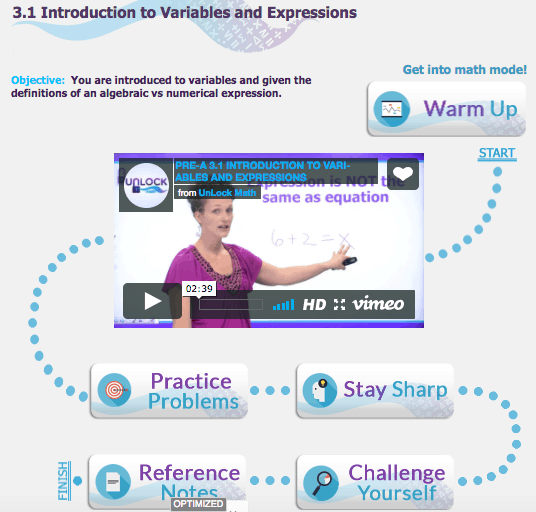
You can see the next stop on the lesson trail is Reference Notes. This is a text version of the lesson (not necessarily word-for-word). This is wonderful to have for those that need to read for learning input or keep as a reference while working problems. We had been printing the Reference Notes as my daughter needed them, but upon discovering there was a file containing them all, I downloaded it. Now, we could print them all at once, all 380 sheets. These were then placed in a 3-ring binder. My daughter has been keeping only the ones she needs to reference and the ones for the current unit in a folder that she keeps with her math notebook. As much as we like digital delivery and practice problems, nothing beats pencil and paper to work the problems out.
We have come across one area of UnLock that is not as intuitive as the rest. The quizzes. Because of the layout of the unit, you can easily overlook the quizzes. My daughter suggested the same type of dotted line connecting the last lesson to the relevant quiz so it won’t be overlooked. Although not a problem we encountered, the entry method for problems may be new for some learners (be sure not to submit answers until every problem/question has been completed).
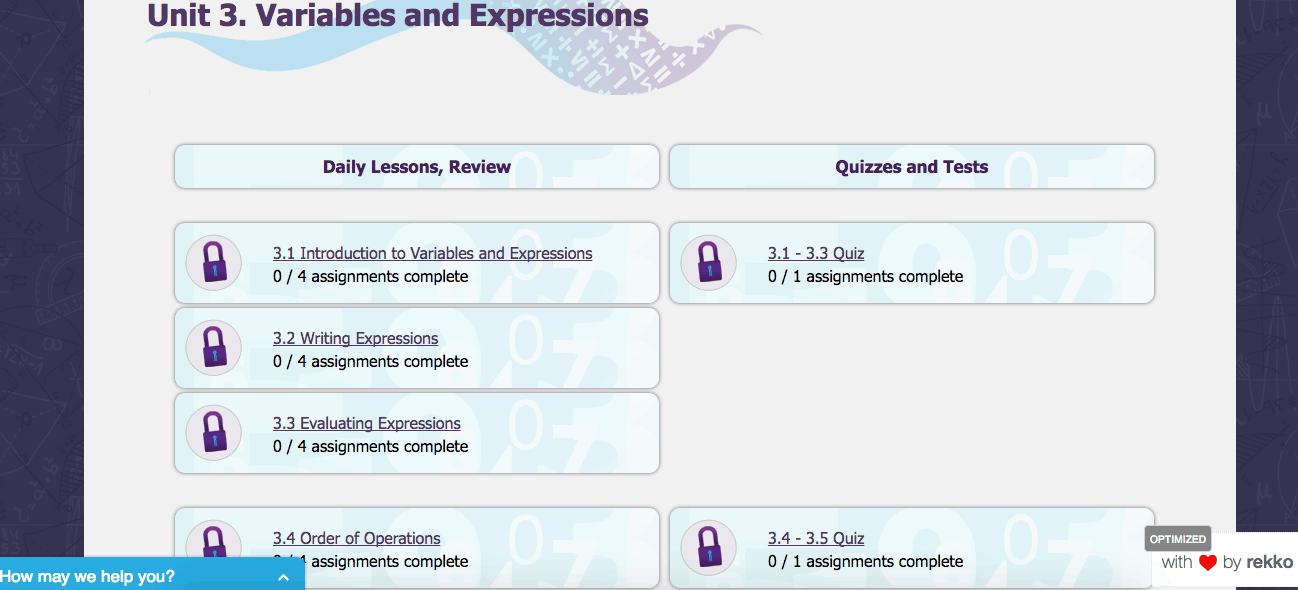
UnLock Math offers many helps and resources for the student and parent for their courses. To be on-track for completing the course in a typical school year, there is a pacing guide, letting you know the number of days to spend on each unit. We have always gone at the pace needed for mastery, but it is nice to see where more or less time is expected to be spent. The aforementioned Reference Notes and a Formula Sheet are great to have printed and at the ready. The last resource is a guide to the software used for the practice questions quizzes and tests. This covers that possible problem I indicated above about submitting answers before being finished with all of the questions. I recommend this be looked over by both students and parents. Nothing is more frustrating for a learner than to have the math correct but find it marked wrong due to the way the software works.
Summing up our favorite things of UnLock Pre-Algebra, the lessons break a concept into bites, making it much easier to learn. The problems are presented singly and uncluttered – very nice for the easily distracted. My daughter can do the problems anywhere she has an internet connection, desktop or tablet. The grading and recordkeeping is all done for you. If your learner does a quiz or set of problems again, the highest score is kept. She can redo again and again (mastery rather than “you’ve spent long enough, move on”) if needed. Most of all, my learner asks to do math!
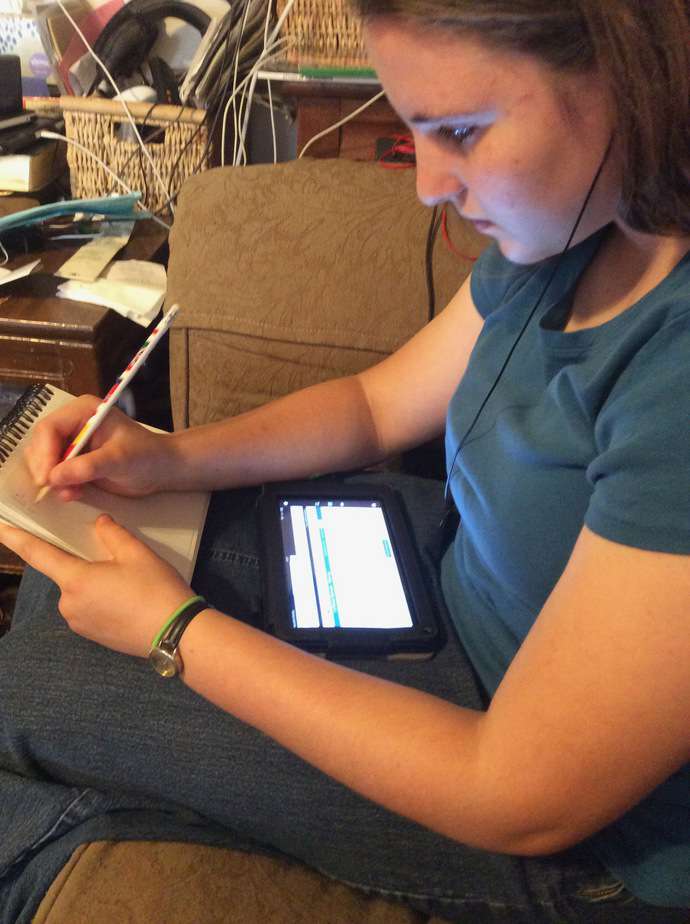
During the summer, we typically only work 3 days a week on math. She was enjoying it so much, she has been often working 4 or even 5 days a week. She is finding math fun! I love this!
UnLock Math offers courses for Pre-Algebra, Algebra 1, Geometry, and Algebra 2. Crew members reviewed them all. To read our reviews, simply click the image below.